English
 German
 Spanish
 French
 Turkish
Custom checkout and invoice constructor
Get paid without writing code: build a checkout page in your colours, issue invoices and payment links from the dashboard or the API, and let customers pay in any of 300+ coins on the network they prefer. Every invoice has its own address, so reconciliation is automatic.
Get Started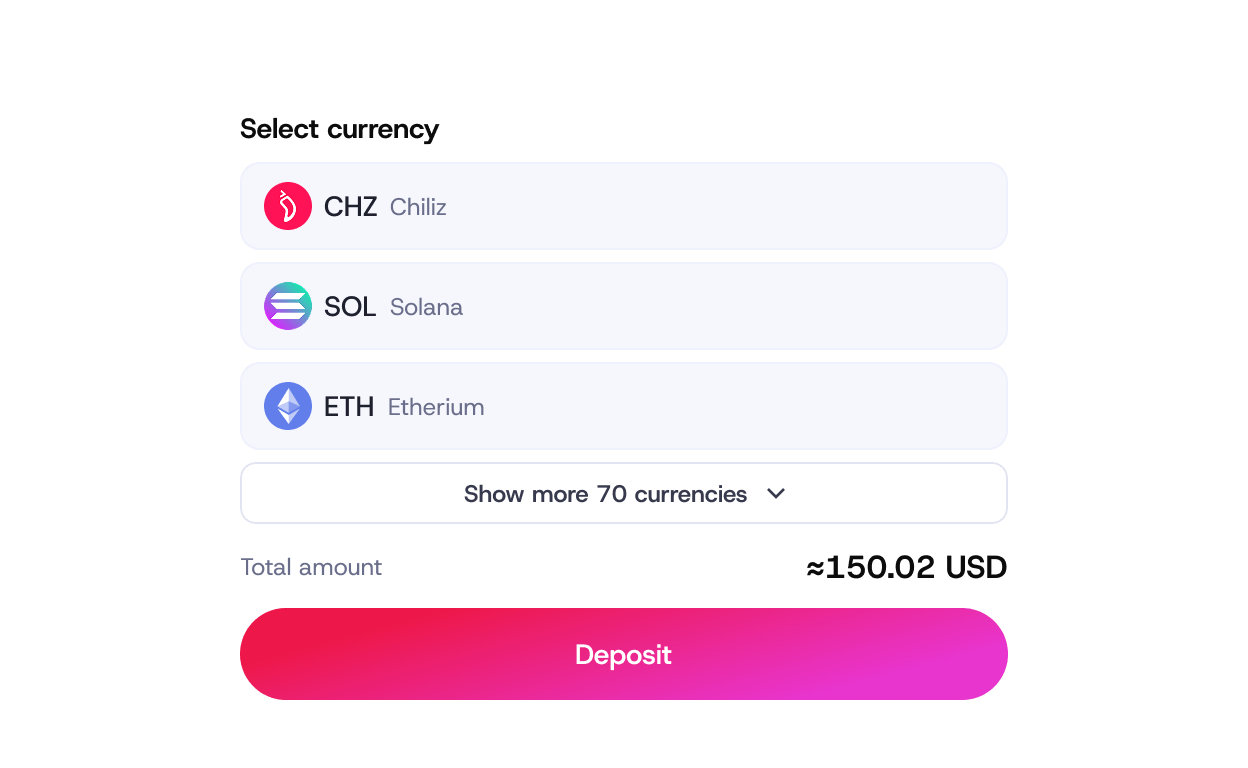
Who it is for

Online stores
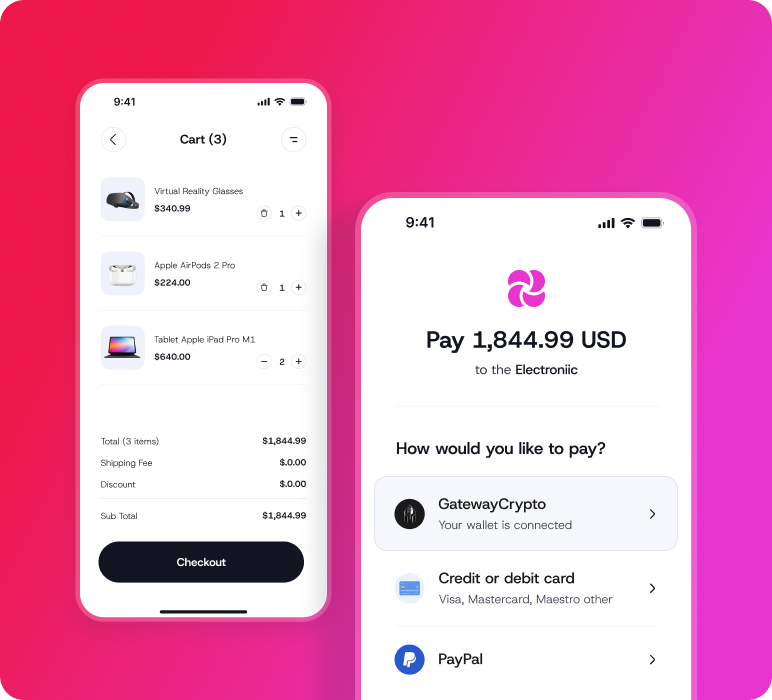
A hosted checkout your customers reach from the cart, styled to your store, with the coins and networks you enable.
B2B and services
Send an invoice link by email or chat, in any currency, with a due date and the amount locked at your quote.
Marketplaces and platforms
Generate payment links programmatically for each order or seller through the API.
How it works
The checkout constructor and invoicing are available in every merchant dashboard under Payments. The API endpoints are documented for developers; plugins are installed from your store's admin.
-

Design the checkout once
Logo, colours, wording and which coins and networks to show. Preview it live in the constructor.
-

Create an invoice or link
From the dashboard in a few clicks, or from your system with one API call: amount, currency, order id, due date.
-

Customer pays from any wallet
The page shows a dedicated address and QR for the chosen coin and network, with the fiat amount locked for the payment window.
-

Paid, reconciled, notified
On confirmation the invoice is marked paid, matched to the order automatically and your server gets a webhook.


Hosted checkout
Your branding, your coin list, redirect and cancel URLs, mobile-first layout.
Invoices
Amount in fiat or crypto, due dates, partial payments, reminders, PDF and link.
Payment links
One-off or reusable links for products, deposits or donations — no integration needed.
Dedicated addresses
A unique deposit address per invoice on every network, so payments never need to be matched by hand.
Automation
REST API and webhooks for creation, status and reconciliation; plugins for WooCommerce, Shopify and PrestaShop.
24/7 live human support
Real people around the clock — for onboarding, integration questions and anything that happens in production. No ticket queues, no bots.
Auto conversion for deposits and withdrawals
Eliminate exposure to market volatility by automatically converting deposited and withdrawn coins into the chosen asset.
Advanced role and permission management
Advanced role management with fully customizable approval and signature rules — teams define who can do what, when, and under which conditions. Security flows that match internal policies, governance models, and risk frameworks.
Hassle-free reporting and transactions management
All the information and reporting tools in one place, with full control over transactions without the operational overhead.
Flexible fee management
Full control over who covers transaction fees, the business or its clients.